You are leaving girlscouts.org for a website opened by an external party. You will be subjected to the privacy and security policies of the website

The biggest Girl Scout adventures are still ahead.
Whether you have a girl in Girl Scouts or are a dedicated volunteer, so much has been accomplished, discovered, and explored over the past year. And there’s even more ahead—more opportunities to try new things and to remain part of something truly special, supportive, and inspiring year after year.
The Girl Scout membership year runs from October 1, 2026 to September 30, 2027. Annual membership dues are $65 for girl members and $30 for adult members.
Renew Using Program Credits
Girl Scout youth are eligible to pay for their 2026-2027 membership using 2026 Program Credits through July 31. Simply select "Program Credits" during checkout.
Program Credit balances are sent to your myGS email. Staff will contact you if there are insufficient Program Credits on the account and an additional form of payment is needed.
For Families: How to Renew Yourself or Your Family 

Caregivers can easily renew members of their household through myGS. Follow the steps below to renew your household!
Sign in to myGS.
- You’ll find the login icon in the top right corner of any page on our website.
- If you have forgotten your password, click Forgot Password*.
Navigate to My Household.
- From the My Account screen, find My Household in the left-hand menu.
Select the members you wish to renew.
- You can click the Select All checkbox or select members individually.
- If you don't use the Select All checkbox and are renewing an adult membership, select both the membership and the adult’s participation or role.
Click Renew.
Confirm Member Details.
- One by one, you’ll confirm information for each person you are renewing.
- Be sure to update each member's school and/or mailing information if you know it.
- Choose each person's Membership and Payment Type (you’ll enter payment information later).
- Use the Next Participant button to move to the next one until you have confirmed everyone you are renewing.
Click Submit Member Details.
- The next screen will show a summary of the information entered.
Click Review Cart.
- Be sure to accept the Promise and Law.
Add Payment Details.
- Enter payment information and click Submit Payment.
Save or Print Your Receipt for your records.
- You can do this on the Payment Confirmation screen. You will not be able to reprint a receipt after this page.
- You should also receive a confirmation email.
*For further assistance in setting up your account, please contact us.
For Troop Leaders: How to Renew Your Troop

Troop leaders can easily renew their troop members* and volunteers through myGS. Follow the steps below to renew your troop!

Sign in to myGS.
- You’ll find the login icon in the top right corner of any page on our website.
- If you have forgotten your password, click Forgot Password†.

Navigate to My Troops.
- From the My Account screen, find My Troops in the left-hand menu.

Select the troop you wish to renew.

Select the troop members you wish to renew.
- You can click the Select All checkbox or select members individually.
- If you don't use the Select All checkbox and are renewing adult members, select both the membership and the adult’s participation or role.

Click Renew.

Confirm Member Details.
- One by one, you’ll confirm information for each person you are renewing.
- Be sure to update each member's school if you know it.
- Choose each person's Membership and Payment Type (you’ll enter payment information later).
- Use the Next Participant button to move to the next one until you have confirmed everyone you are renewing.

Click Submit Member Details.
- The next screen will show a summary of the information entered.

Click Review Cart.
- Be sure to accept the Promise and Law.

Add Payment Details.
- Enter payment information and click Submit Payment.

Save or Print Your Receipt for your troop records.
- You can do this on the Payment Confirmation screen. You will not be able to reprint a receipt after this page.
- You should also receive a confirmation email.
*Troop leaders cannot add new Girl Scouts through myGS. However, they can use the Invite link and share it with families to self-register their girl(s) for the troop.
†For further assistance in setting up your account, please contact us.
Trouble logging in?

Why isn’t my username working?
Your username is typically your email address. If you have more than one email address, try each. You can also use the “Forgot Your Password?” link to send a reset email to your email address. If you’re still having trouble, contact our Customer Care team.
Why am I not receiving the password reset emails?
The password reset emails come from gsusacustomercare@girlscouts.org, so please make sure it’s added to your safe senders list. If you requested the reset email before marking our email address as safe, check your spam folder. If you’re still not receiving the email, contact our Customer Care team to verify that your username/email address is correct.
How do I reset my password when I no longer have access to the email address associated with my account?
Our Customer Care team can easily change your username/email address without requiring you to recreate your account. Contact us to get started.
Why can’t I see my family when I log in?
There are a couple reasons this could happen:
Another adult family member may be listed as the preferred contact on the account. That person must log in to renew. Contact our Customer Care team if you’d like to be listed as your household’s preferred contact.
You may have a second or duplicate account with a different email address. Try a different username. If that works, be sure to contact our Customer Care team to merge the two accounts into one.
Why can’t I see my troop(s) when I log in?
There are several reasons this could happen:
Troops are listed on a separate tab from your family. If you have more than one troop, look for the pull-down menu to change between them.
Check your member profile to make sure you’re listed as a volunteer in the troop.
Not all troop volunteers can access the troop tab. Contact us to see which volunteer roles they allow to access the tab.
If your background check has expired, you may lose access until it is up-to-date.
Our Customer Care team can provide additional support.
*The Girl Scout membership year is October 1–September 30 and must be renewed annually.

Keep Discovering
She already discovered so much about herself and what she loves. Imagine what she’ll discover next. See what’s coming up in Girl Scouts!
EXPLORE NOW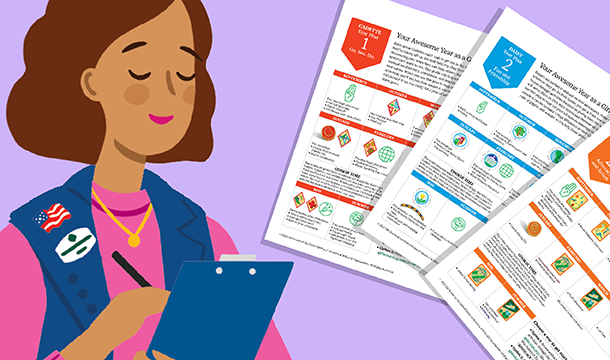
Volunteers—We Got You!
Troop Year Planners make mapping out your year easier and more fun than ever. Try them out now!
LEARN MOREAt Girl Scouts, she will continue to...
